

Tiny macOS utility apps I love – Part 7

In the seven part of my series Tiny macOS utility apps I love, I am featuring a simple and powerful note app, and two apps to keep track of system activity.

This is part 7 of my Tiny macOS utility apps I love series. Here you can find: Part 1, Part 2, Part 3, Part 4, Part 5, and Part 6.
You know what I love? Tiny macOS utility apps that are simple, straightforward, fun, and joyful to use, but still powerful because they don’t try to do everything and instead focus on a handful of features they’re really good at. And since I found three new apps that fit those categories, it was time to write part 7 of “Tiny macOS utility apps I love,” my blog post series in which I write about ... well ... tiny macOS utility apps I love.
At the very beginnings of my weekly newsletter, I used to feature and write about a lot of apps. After a certain time, I felt burned out about that. There are so many apps out there, and an increasing number of new ones launch every day. I took a step back and became more intentional about what apps I actually want to feature and write about. Instead of packing three or four new apps into my newsletter each week, I started to look into writing long-form posts and deep dives. While I deeply enjoy exploring new apps in detail, writing those type of posts is time-consuming. I would love to be able to fully focus on writing, but as life goes, I still have spend the majority of my day increasing someone else's net worth, while owning a small piece of the cake too, which leaves me with a couple of hours per week to do some actual creative writing.
Therefore, I am really happy with my blog post series "Tiny macOS utility apps I love", since I can still do what I enjoy most, which is writing about apps, but at a higher volume, as I am just providing a glimpse into a couple of apps through this blog post series, instead of doing a full deep dive.
Enough yapping, and now enjoy part 7 of Tiny macOS utility apps I love.
Antinote

Did you ever wished for a super simple, lightweight, yet powerful scratchpad for all sorts of notes, links, and ideas, packed with features that go even beyond note-taking? Well, then I would suggest to take a closer look at Antinote.
Antinote can be launched by a simple hotkey, which is Option-A, but you can also set up a custom keyboard shortcut that suits your workflow. Another option is to simply pin Antinote to your desktop, where it sits as a floating window, easily accessible. Antinote is powered by beautifully plain text, formatting and indents are stripped on paste, so you can leave out all the distractions. When pasting links, Antinote auto-shrinks them with smart endings, however, you can also expand and edit them with ease. Besides writing plain text and notes, Antinote is also capable of descriptive math with context, so you can instantly make calculations, but also convert distances, weights, and currencies. Well, it even supports variables to build custom calculators in seconds, so you can skip the complex spreadsheet, and do it all in Antinote first.
Additionally, you can create lists, simple lists but also todo lists, you get access to an instant stopwatch, countdown, and pomodoro timers. Yes, you read that right, Antinote lets you set pomodoro timers right from the same place where you just noted down some thoughts and ideas. While Antinote mainly acts like your digital scratchpad, it will not replace your main note-taking app, so in case you need to do more with your notes, Antinote gives you the possibility to instantly send your notes from Antinote to Apple Notes, Obsidian, and Bear, but you can also export them as a .txt file.
Antinote is a great app for messy notes, quick thoughts and ideas, temporary stuff, quick experiments, and everything else. By having access to 14 themes, you can even make it delightfully yours. Antinote is available for $5 as a one-time purchase, and it includes lifetime updates. As of writing this, Antinote is only available for macOS but a mobile version is planned to be released in summer 2026. All your notes are saved locally on your device, and Antinote does not collect any personal data.
If you are a Setapp user, you can download Antinote right away, as Antinote is part of Setapp's awesome offering*.

Tiny Shield
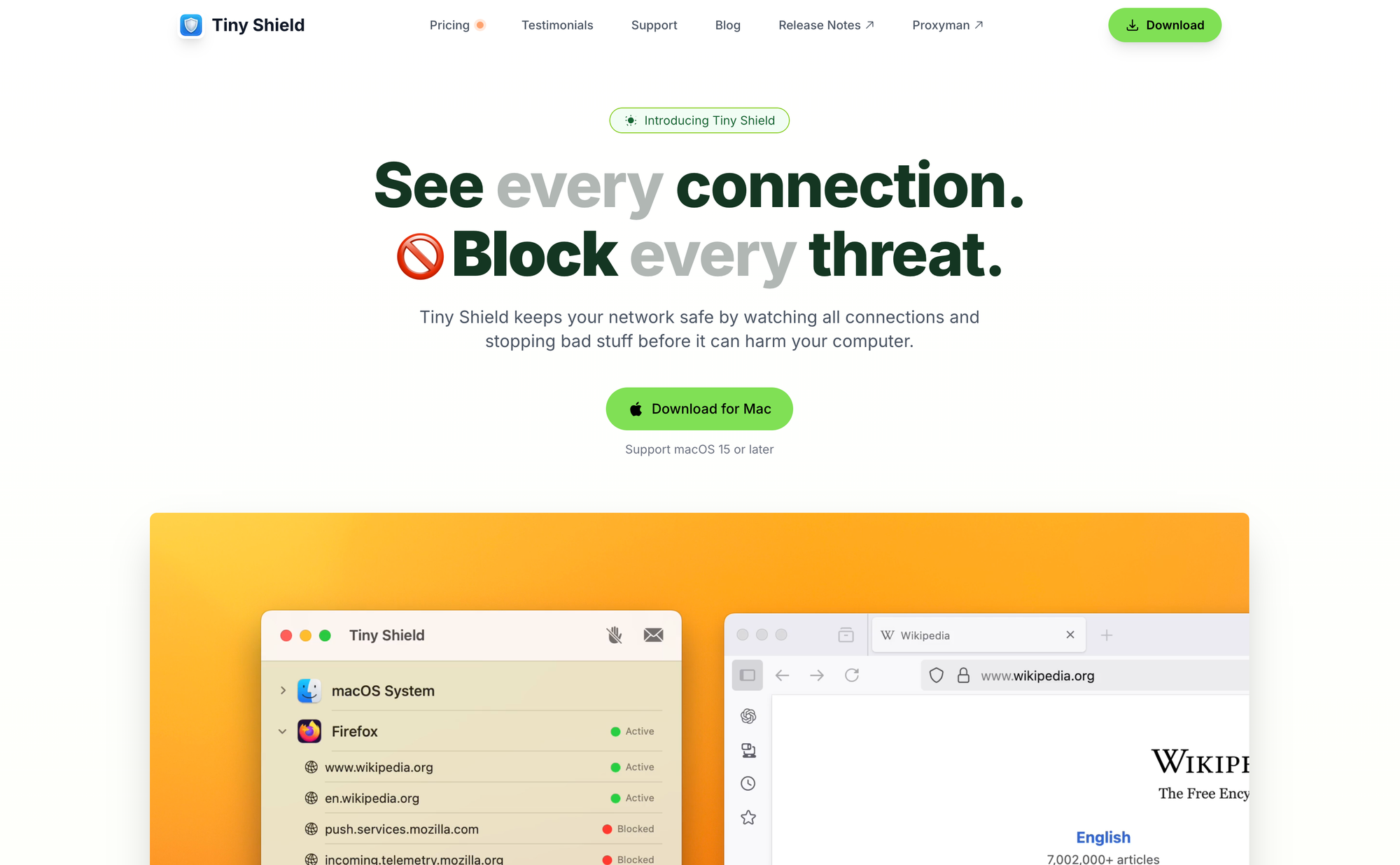
Tiny Shield is a lovely companion for your Mac to keep your network safe by watching all connections and stopping bad stuff before it can harm your computer.
Once installed, Tiny Shield keeps an eye on everything your Mac connects to. It offers real-time monitoring for all traffic from your Mac, making sure you can see all your internet activity in one place, powered by a simple and structured interface. With just a few clicks, Tiny Shield gives you the possibility to block unwanted traffic from your Mac from certain websites, but you can even block an entire app from accessing the internet. Beyond that, Tiny Shield has been built with the goal in mind to be the most developer-friendly network monitoring tool. It is lightweight, and blazing fast.
With Tiny Shield you can see the hostname instead of IP address, so you can easily identify the website to which a specific app is sending traffic to. It also shows you the present and received traffic from your Mac.
You can grab Tiny Shield for a one-time purchase of $29 for the Standard License, which lets you install it on one Mac and includes 2 years of updates. The Combo License, which gives you the possibility to install it on two Macs costs you $39. In case you are already using Setapp, you can download Tiny Shield right away, as it is part of its offering.
 Proxyman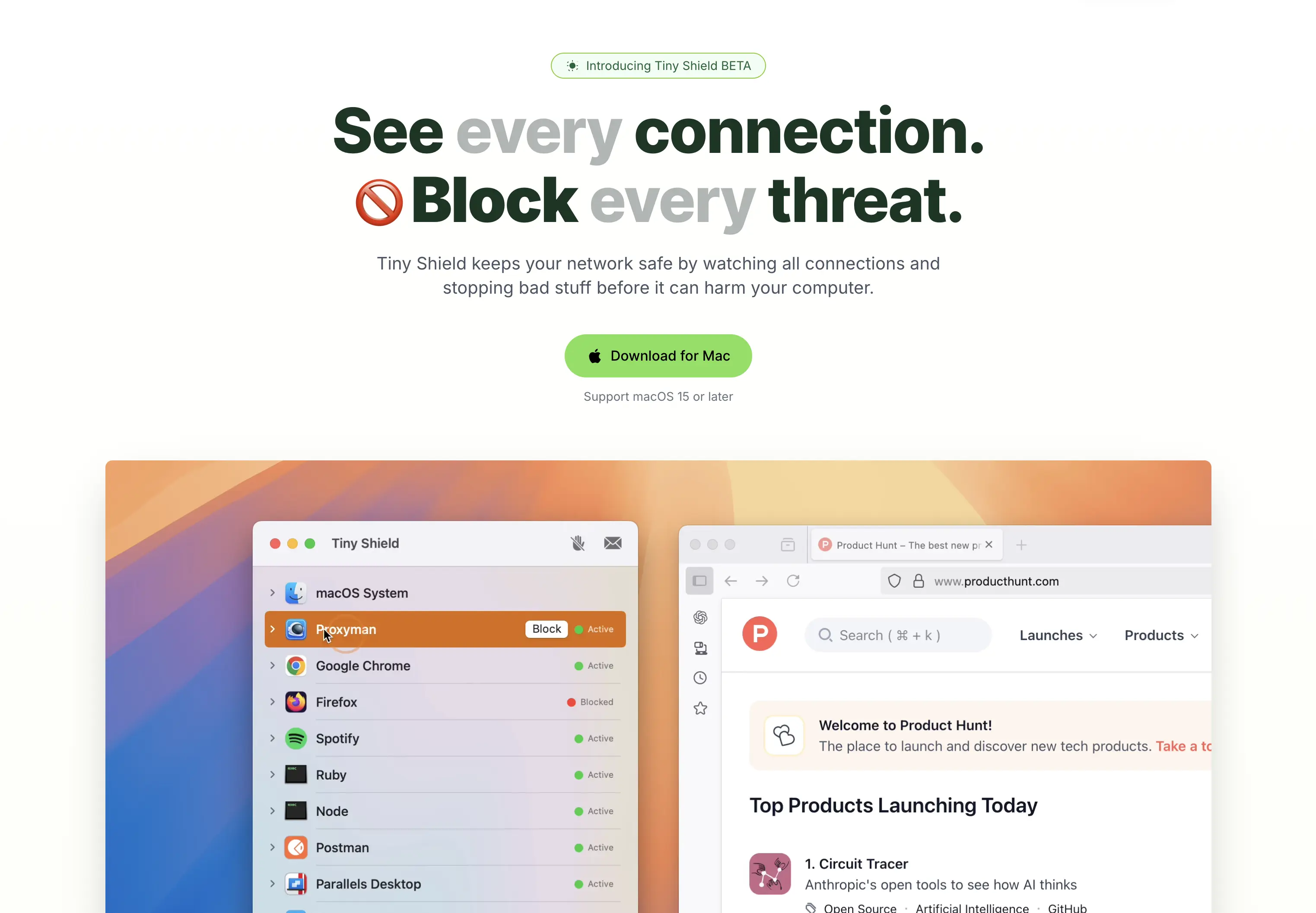
Usage
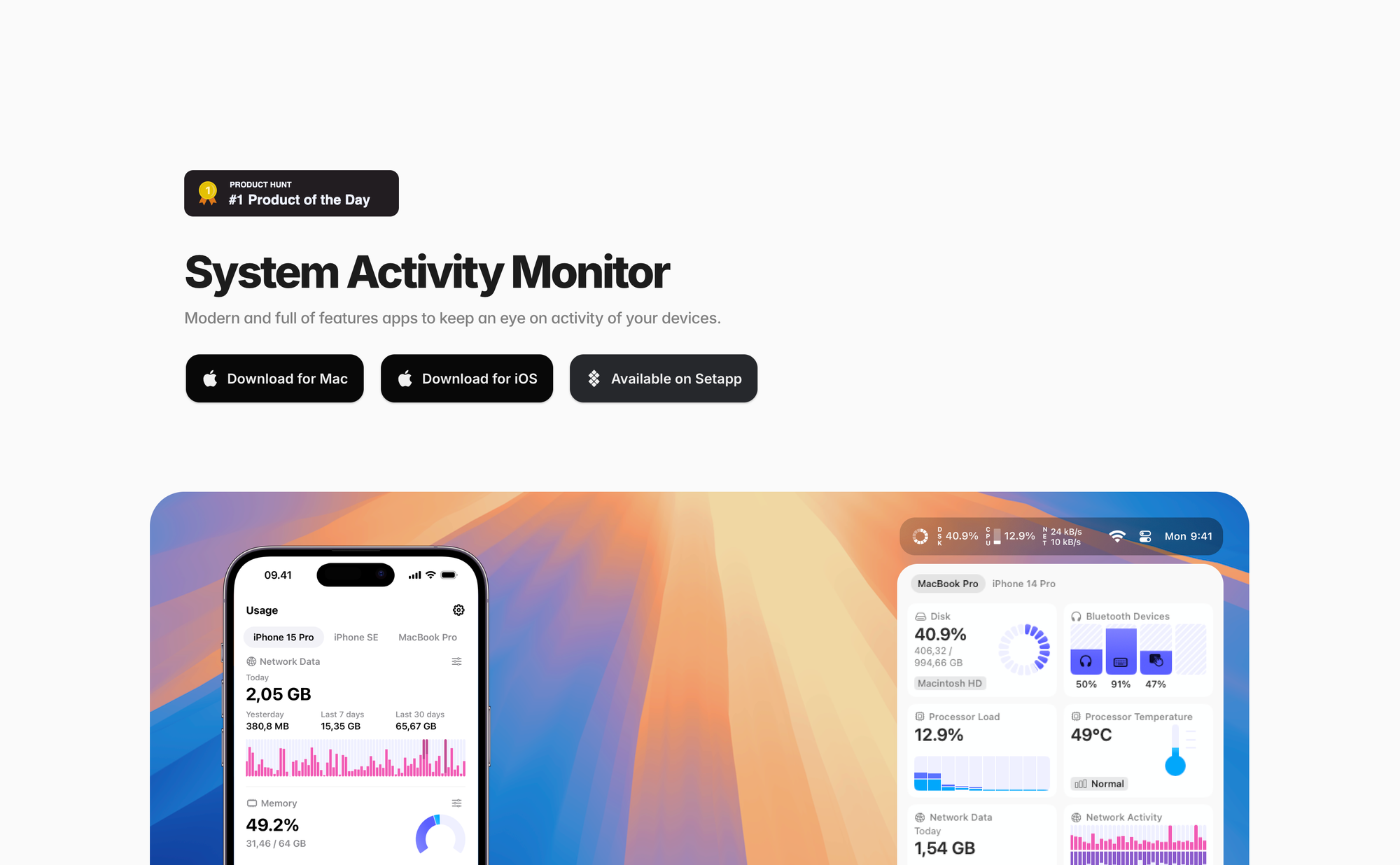
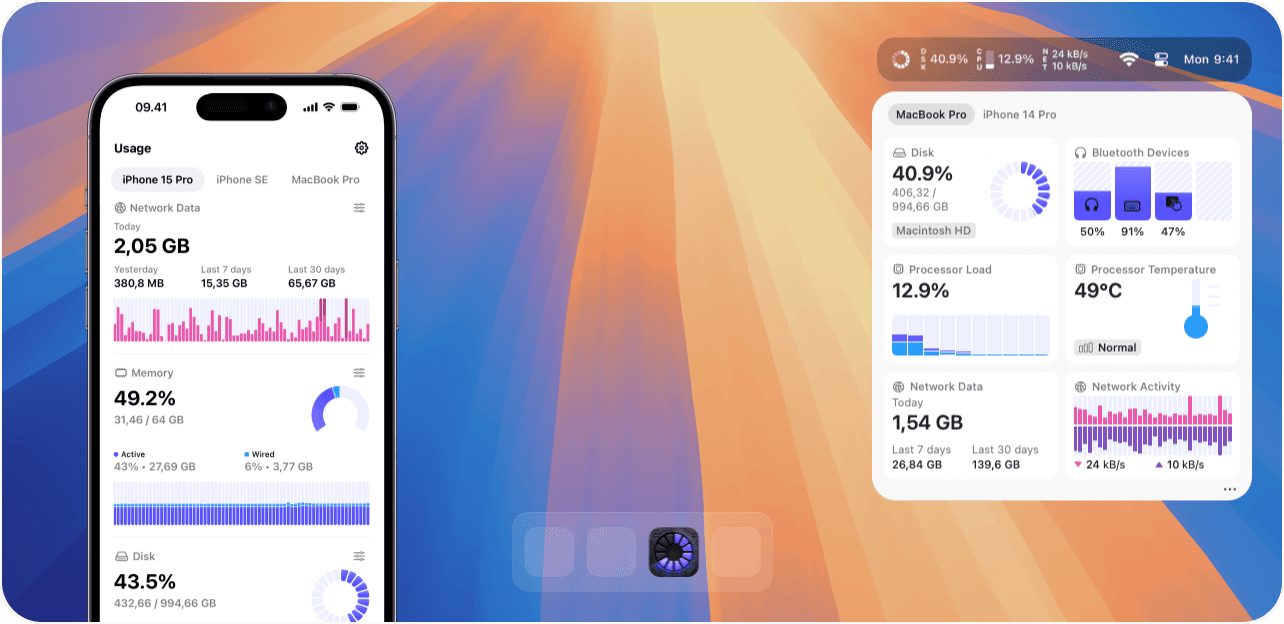
There are multiple reasons to keep track of your Mac's system activity. Myself, I simply like to look at data, and I enjoy that even more when the data is packed into a beautiful interface, just like Usage did.
With Usage, you can see all sorts of system activities right within your Mac's menu bar, you can even customize what kind of data to be displayed by choosing from over 40 components. No matter if you want to stay on top of network activity or data usage, how CPU is utilized, RAM status, or getting insights on the battery's charge level, power, and health, observe the speed of fans, monitor the processor temperature in real-time, and more, Usage got you covered.
All that data gets displayed in beautiful widgets. Although, this post focuses on tiny macOS utility apps I love, I would like to point out, that Usage is also available for iOS. You can even sync your data via iCloud across all your devices, which means you can keep track of system activity of your Mac from your iPhone and vice versa.
You can give Usage a try by downloading the free version, to get access to all features you can grab the One Platform license as a single purchase of $9.99, the All Platform license as a single purchase of $22.99, or the All Platform subscription for $9.99 per year. In case you are using Setapp, you can download Usage right away.

Till next time! 👋
Support: Do you have a friend who is looking for inspiration, news about design, and useful tools and apps? Forward this newsletter to a friend or simply share this issue and show some support. You can also show some love by simply clicking the button down below and keep this newsletter a sustainable side-project by buying me a coffee. ☕️ 🥰


Discussion